Consumables
Never run out. Never overbuy.
Consumable collections keep live stock of the things you use up — pantry, cleaning, workshop, pet supplies — and turn what is running low into a shopping list by itself.

Stock
Your shelves, in numbers that stay honest.
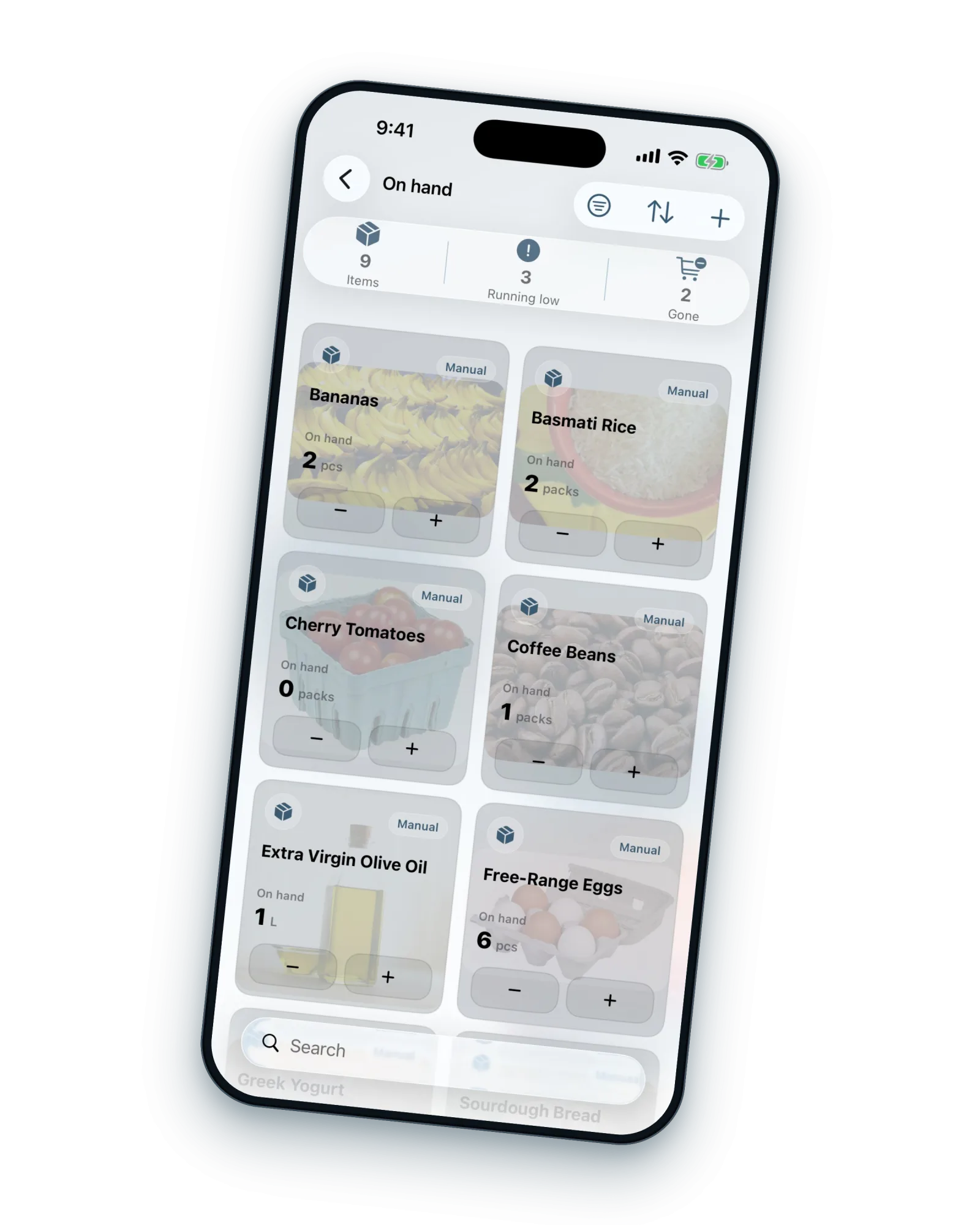
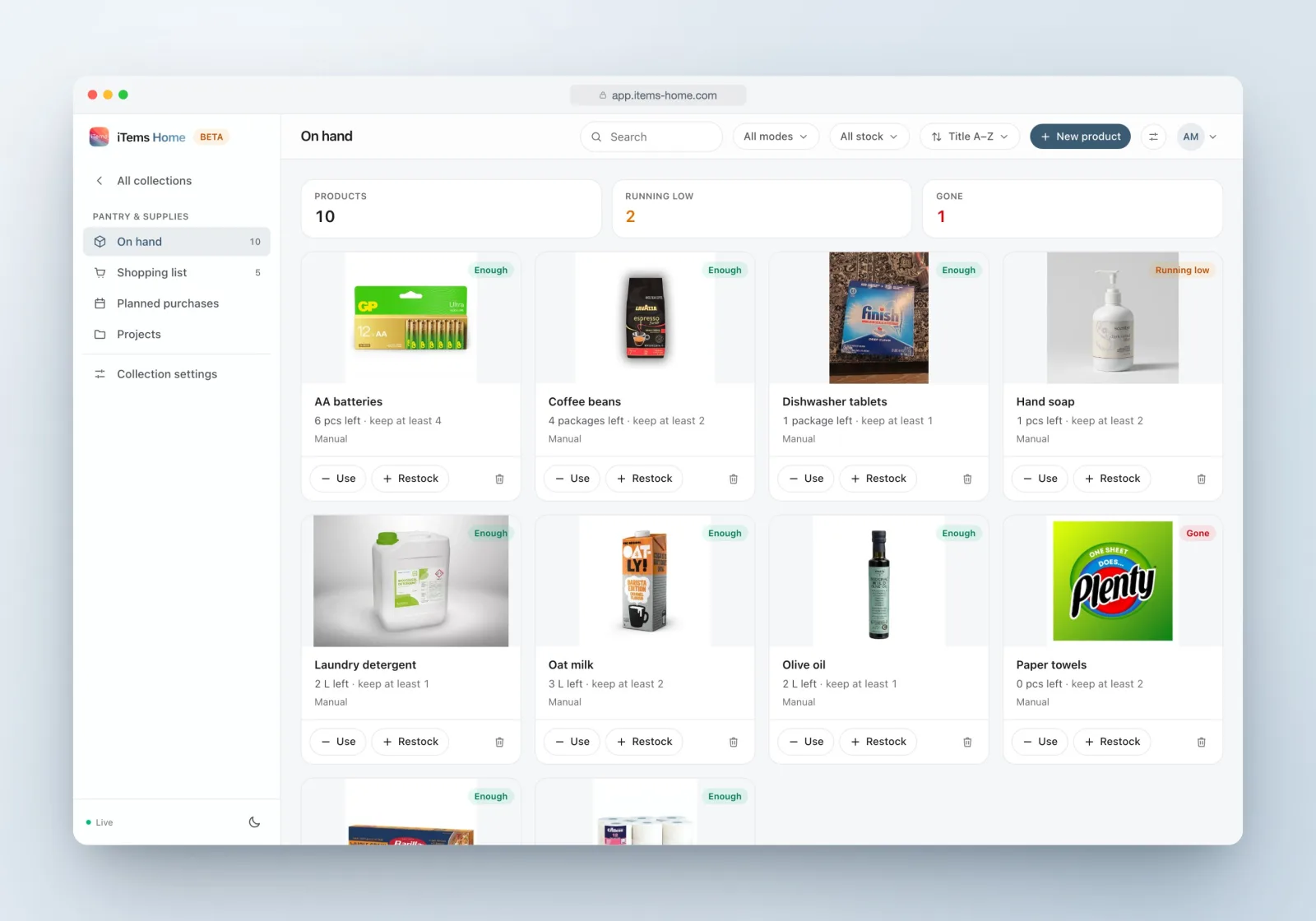
Each product tracks what is on hand, the level you want to keep at least, and the level to refill up to — in pieces, packages, kilos, liters or your own unit.
Choose how the stock moves: update it yourself with quick Use and Restock actions, or switch to estimated mode and let it decrease automatically at the pace you actually consume. Status pills keep it readable at a glance — enough, running low, gone.
Shopping that runs itself.
Shopping list
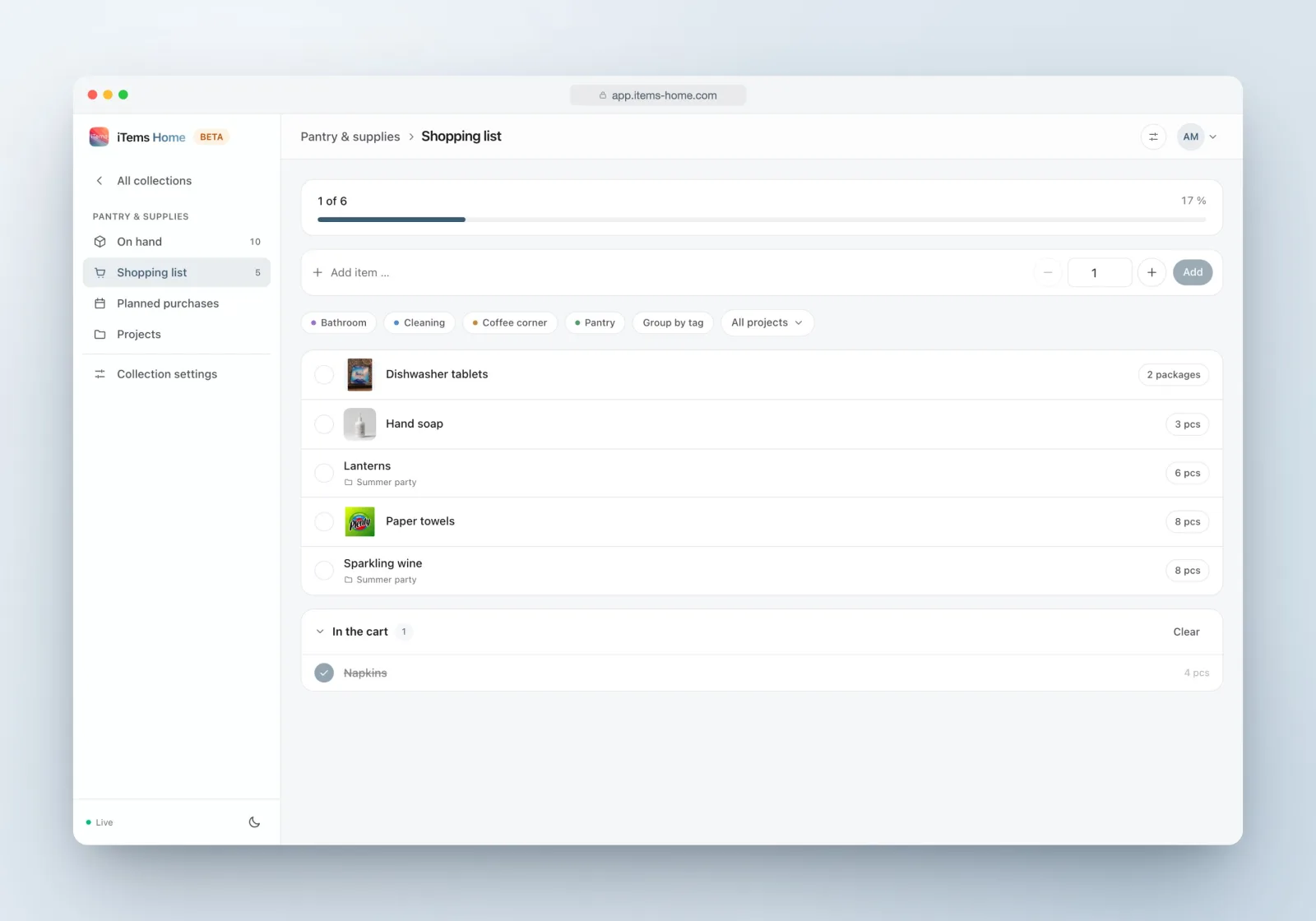
What runs low lands on the list; check things off into the cart as you shop, and undo if you grabbed the wrong one.
“Need anything?”
Smart suggestions based on your actual consumption — add them with one tap, or snooze the ones you don’t need.
Planned purchases
Decide today, buy later: the purchase appears in the shopping list on the day you chose.
Projects
Group purchases for a goal — a renovation, a party — and watch “4 of 12 purchased” tick up.
Across collections
One shopping list can span every consumable collection you keep — kitchen, garage and bathroom on a single trip.
Tags
Color-coded tags group products — and the shopping list can group by them, aisle by aisle.
How it works
From full pantry to smart pantry.
Add your products
Name, unit and a photo — plus how much you have and how much you want to keep around.
Pick how stock moves
Manual if you like tapping Use and Restock; estimated if you’d rather tell iTems how fast it goes and let it count down.
Live your life
When something crosses its threshold it turns “running low” and offers itself to the shopping list.
Shop from the list
Grouped by tag, spanning your collections, with purchased items moving to the cart as you go.
Usage
See how your household actually consumes.
A usage chart shows used, restocked and on-hand over 7 days to a year, next to a timeline of everything that happened. It is oddly satisfying — and it is also how you stop buying rice you already own.
Consumables, answered.
What should I track as a consumable?
Anything you buy repeatedly: groceries, cleaning supplies, toiletries, batteries, filters, pet food, workshop materials. If it runs out, it belongs here.
Do I have to update stock manually?
No. Estimated mode decreases the stock automatically at the consumption rate you set — per day, week, month or year — and you correct it whenever reality disagrees.
Can one shopping list cover several collections?
Yes — the shopping list on the collections overview spans all your consumable collections, so one store visit clears them all.
Can I plan purchases ahead?
Yes — planned purchases appear in the shopping list on the date you choose, and projects gather purchases for a goal with progress tracking.
Is this part of the free plan?
Consumables is a collection type, not an add-on. iTems FREE includes one collection — make it a consumable one if that is where the pain is. iTems PRO removes the limit.
Put your household on autopilot.
Start with the pantry — the rest will follow.